
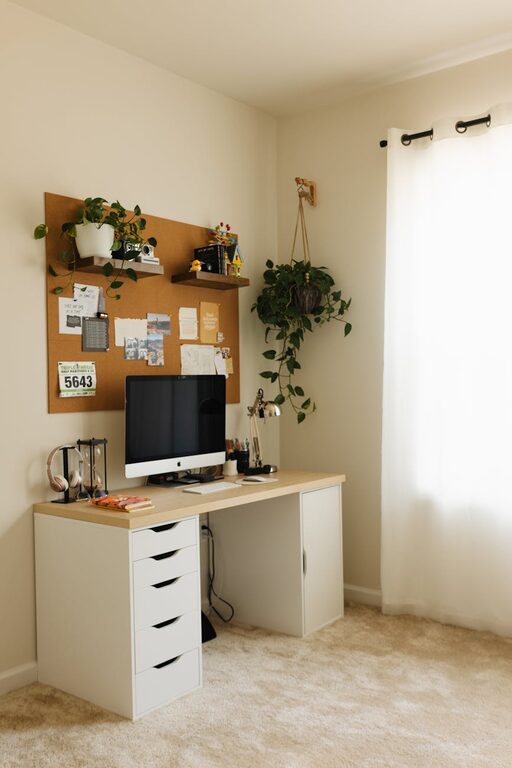
Creating a home office space that balances coziness with productivity is essential for anyone working remotely or managing tasks from home. A well-designed workspace can boost your focus, reduce stress, and even improve your overall work satisfaction. Whether you have a dedicated room or a small corner, these tips will help you create a home office that feels inviting and keeps you on track.
Choose the Right Location
Finding the perfect spot for your home office is the first step. Ideally, pick a quiet area with minimal distractions. This could be a spare room, a corner of your living room, or even a section of your bedroom. Make sure the space has sufficient natural light if possible, as sunlight can improve mood and energy levels.
Consider Privacy and Noise Levels
If you live with family or roommates, consider how busy or noisy different areas of your home are throughout the day. A quieter corner will help maintain concentration. You might also use noise-canceling headphones or white noise machines if background noise is unavoidable.
Invest in Comfortable and Functional Furniture
Your comfort directly affects your productivity. Choose an ergonomic chair that offers good back support. Pair it with a desk at the right height to avoid strain on your wrists and shoulders.
Desk and Chair Tips
– Adjustable chairs allow you to customize the height and support.
– Consider a standing desk or a desk converter for switching positions.
– Your feet should rest flat on the floor and your screen at eye level.
Optimize Lighting
Lighting plays a vital role in your workspace. Natural light is best, so position your desk near a window if possible.
Artificial Lighting Ideas
– Use a desk lamp with adjustable brightness to reduce eye strain.
– Choose soft, warm-toned bulbs for a cozy feel.
– Avoid harsh overhead lighting which can be tiring over long hours.
Personalize Your Workspace
Adding personal touches can make your home office feel more inviting and increase your motivation.
Simple Personalization Ideas
– Hang artwork or photos that inspire you.
– Add small plants for a touch of greenery and improved air quality.
– Use your favorite colors in accessories like organizers, mugs, or cushions.
Keep the Space Organized
A clutter-free workspace helps clear your mind and enhances efficiency.
Organization Tips
– Use storage boxes, shelves, or filing cabinets to keep supplies tidy.
– Maintain a minimal number of items on your desk.
– Regularly declutter to avoid buildup.
Pay Attention to Technology Setup
Ensure your technology is arranged for seamless work.
– Position your computer or laptop screen at a comfortable viewing height.
– Use a good-quality keyboard and mouse that fit your hand size.
– Invest in a reliable internet connection.
– Keep cables organized with clips or sleeves to avoid tangles.
Incorporate Break Areas or Relaxation Spots
If space allows, create a small area where you can take short breaks.
– A comfy chair or a cushion can provide a spot to stretch or read.
– Taking breaks is essential to reduce fatigue and maintain concentration.
Set Boundaries and Maintain Routine
Even with the coziest office, working from home requires discipline.
– Define specific working hours.
– Use visual cues like closing a door or putting on headphones when working.
– Separate work time from personal time to maintain balance.
Maintain Good Air Quality and Temperature
Comfort includes proper ventilation and temperature control.
– Open windows regularly to refresh the air.
– Use fans or heaters to keep the temperature comfortable.
– A pleasant environment helps you stay focused and comfortable longer.
—
Creating a cozy and productive home office takes some planning, but the rewards are worth it. By choosing the right location, investing in good furniture, optimizing lighting, and personalizing your space while staying organized, you can design a workspace that supports your best work and keeps you comfortable all day long. Start small and gradually adjust your office to fit your needs perfectly.
Related Posts

Tips for Creating a Cozy Reading Nook in Your Home
Creating a cozy reading nook in your home is a…
Tips for Creating a Cozy and Inviting Home Workspace
Creating a cozy and inviting home workspace is essential for…
Tips for Creating a Relaxing Home Workspace to Boost Productivity
Creating a relaxing home workspace is essential for maintaining productivity…